 Hallway Power Walk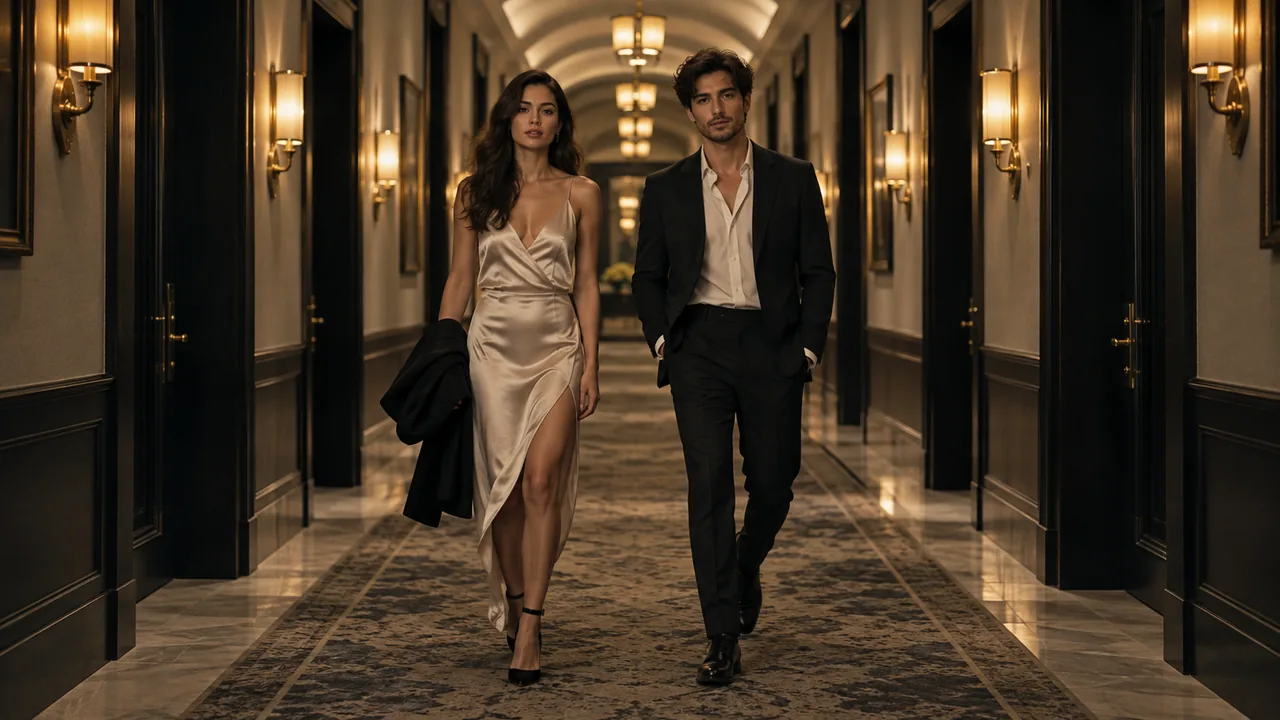
The visual language of this effect
A corridor with a center line
Symmetrical perspective, warm wall lights and polished reflections give the pair a clear path toward the camera.
A controlled shared stride
The intended action keeps both people side by side at a measured pace. Their relative positions matter as much as the background.
A closer finish
The scene direction moves from the entrance into a stop and closer attention. Choose 15 seconds when you want more room for that progression; the default remains 10 seconds.
The intended scene progression
These beats describe the recipe’s direction. They are not guaranteed cuts, exact camera paths or fixed timestamps in a generated result.
Establish direction
The corridor lines orient the viewer while both performers begin their shared approach.
Sustain the measured walk
The middle progression should keep stride, body separation and wardrobe coherent. Review it carefully because small limb errors can accumulate through motion.
Settle into the finish
The intended stop and camera approach give the entrance an endpoint. Check whether the generated ending is stable enough to use.
What the studio currently accepts
- Source
- Two individual portraits, one performer per slot
- Upload
- JPG, PNG or WebP, up to 4 MB per photo
- Default scene length
- 10 seconds, 9:16 vertical
- Aspect ratios
- 9:16, 1:1, 16:9, 3:4, 4:3 and 21:9
- Length choices
- 10 or 15 seconds; your account balance is in credits and packages show the video time they cover
- Scene controls
- Fixed scene recipe; no custom prompt or motion-reference input
- Before submission
- Local photo preview, permission confirmation and displayed availability
Portraits supply identity references, not a motion recording
This effect starts from one person in each of two separate portraits. The video provider interprets the portrait references together with this studio’s scene recipe. Two-person scenes keep the references separate rather than requiring a collage. The flow does not upload a choreography video or let you direct frame-by-frame motion.
Recognizable likeness, coherent clothes and natural anatomy are requested, but they require review in the finished result. A pleasing opening frame cannot demonstrate that the rest of the clip is stable. Watch changes of angle, lighting and distance, plus any interaction between subjects and objects.
The scene’s rap or music-video styling describes a visual intention. A specific voice, song, melody, word-perfect verse or synchronized mouth movement is not guaranteed.
Where the scene can fit
A shared entrance visual
Use the corridor progression as a generated opening for a duo announcement or concept, with an honest synthetic-performance disclosure.
An outfit-led concept
The standing composition lets clothing contribute to the scene. It is not a guaranteed garment visualization or proof of how a real item fits.
A story-board transition
Explore a walk-to-portrait beat for a creative plan. Review the generated movement before choosing it for a final edit.
Before you start
Use a source image and likenesses you have permission to submit. Choose your portraits and a 10- or 15-second duration. A 15-second video uses five more seconds from your balance than a 10-second video.
Packages add credits to your account, with the equivalent video time shown on each card. Combine the two clip lengths as you like; unused credits remain available. If your balance covers fewer than 10 seconds, add a package before starting another clip. Check an existing task before making another paid request if its response was uncertain.
Questions before you start
When should I choose a longer clip?
The default is 10 seconds. Choose 15 seconds to give the corridor approach and closer finish more room. These are intended scene beats, not an exact guaranteed timeline.
Can I copy a reference runway walk?
The current flow accepts two portrait references and uses generated movement. It does not take a motion reference or copy an exact gait or choreography.
Can we use two different photos?
Yes. Use one clear individual portrait in each performer slot. Review legs, hands, clothing and faces throughout the result before posting.
MAKE YOUR SCENE