 Hallway Power Walk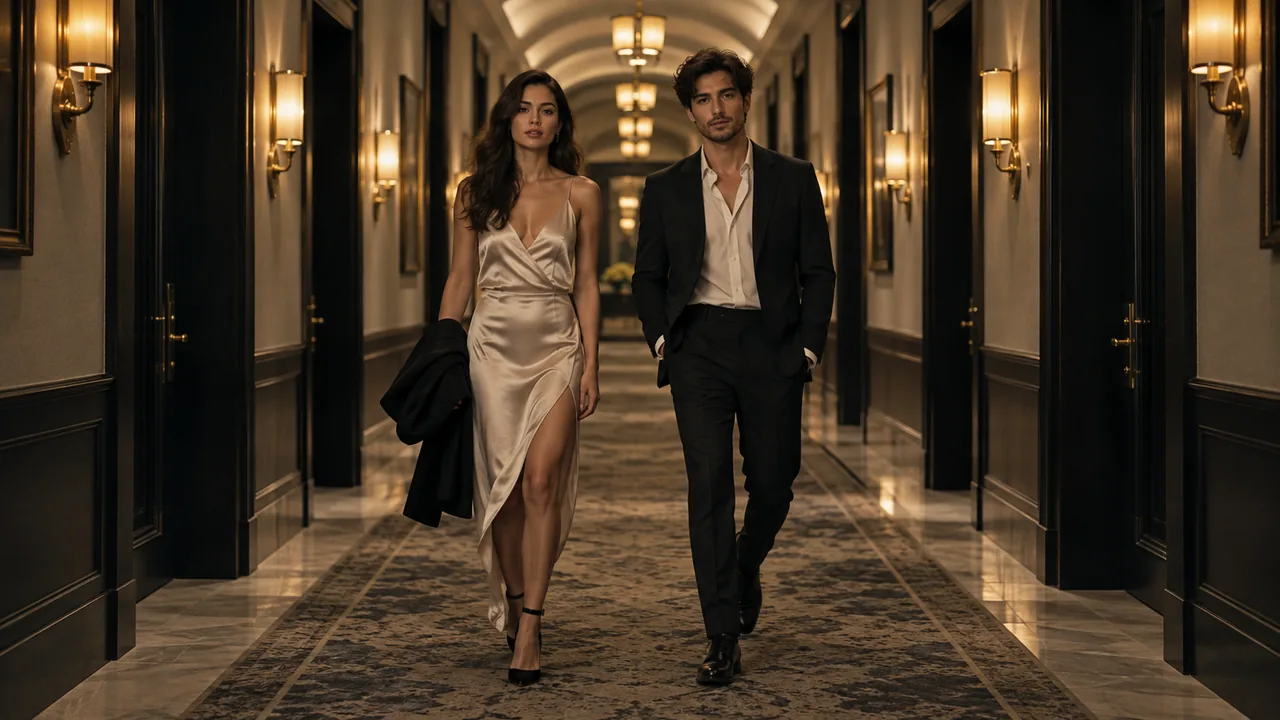
Start with a clear visual idea
This longer scene is built around a shared entrance: two people walking at a controlled pace through a symmetrical hotel corridor, then settling into a closer view. Repeated wall lights and floor reflections reinforce the direction of travel. The intended movement is a walk, not a runway sprint or a copied dance.
A corridor with a center line
Symmetrical perspective, warm wall lights and polished reflections give the pair a clear path toward the camera.
A controlled shared stride
The intended action keeps both people side by side at a measured pace. Their relative positions matter as much as the background.
A closer finish
The scene direction moves from the entrance into a stop and closer attention. Choose 15 seconds when you want more room for that progression; the default remains 10 seconds.
Three ways to describe the scene
Choose a single example as a starting brief in a prompt-enabled tool. Replace any subject description with a reference you have permission to use. Avoid stacking all three examples into one request.
A measured corridor entrance
Create a vertical fictional entrance with these two referenced subjects walking together through a warmly lit hotel corridor. Keep their pace controlled and their positions side by side. Use clear central perspective and a steady camera retreat, then let them settle into a closer shared frame. Preserve faces, clothing and natural proportions.
The action has a readable beginning and destination. It does not combine walking with unrelated spins, jumps or a crowd reveal.
Body continuity first
Build a two-person hallway scene from the two individual portraits. Show a calm forward walk with visible separation between arms and legs. Keep the corridor lights stable as the camera moves. Maintain the reference outfits and avoid fast footwork, exaggerated strides or a sudden change of wardrobe.
For a walking scene, continuity of limbs and garments is a more useful constraint than a long list of decorative details.
Quiet power-walk finish
Imagine the pair making a confident hotel-corridor entrance. Use warm wall lamps, a simple symmetrical background and restrained body movement. Bring the sequence toward a still, closer portrait of both people. Keep faces readable and avoid captions, logos or an exact choreographed routine.
The finish is described as a visual intention. A generative result may interpret the stop and closer framing differently.
What to make explicit
Give the walk a destination
Describe moving toward the camera and then settling, rather than asking for endless walking in several directions.
Prioritize the shared pace
State that the two people stay side by side with natural strides. Complex footwork conflicts with the controlled entrance idea.
Use length for progression
A selected 15-second length gives an establishing view, approach and closer finish more room than the 10-second default, but the scene goals are not guaranteed second-by-second output markers.
How these examples relate to this studio
The generator on this site takes one person in each of two separate portraits and applies a fixed Hallway Power Walk scene recipe. You do not need to type a prompt to use it, and pasting an example does not change its settings.
This scene defaults to 10 seconds in a 9:16 frame. Choose 10 or 15 seconds and a portrait, square or landscape format in the generator. Your account stores credits; package cards show the video time those credits cover. Camera motion, expressions, scene details and any audio are generated, so an example is an intention rather than an exact output guarantee.
A rap-style visual does not guarantee a particular commercial song, lyrics, choreography or lip synchronization. Do not request a real person’s endorsement or claim that synthetic performance footage is an actual recording.
Questions before you start
Can I edit the prompt in this generator?
No. The current studio provides one fixed scene recipe, with one portrait for a solo scene or two separate portraits for a pair. These public examples are learning material, not a custom-prompt setting.
Are these the exact internal generation prompts?
No. They are separately written public examples that explain the effect’s visual choices. The private recipe, provider settings and billing controls are kept on the server.
Can I copy a reference runway walk?
The current flow accepts two portrait references and uses generated movement. It does not take a motion reference or copy an exact gait or choreography.
MAKE YOUR SCENE